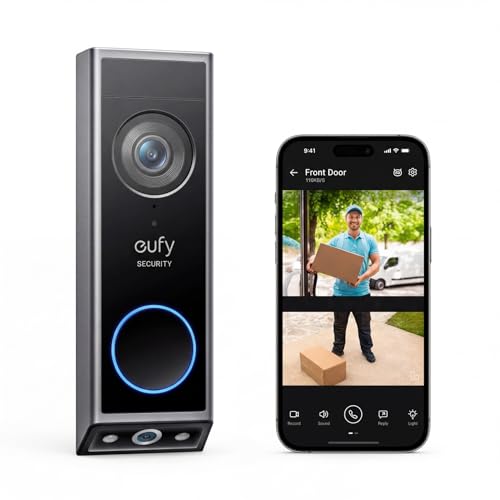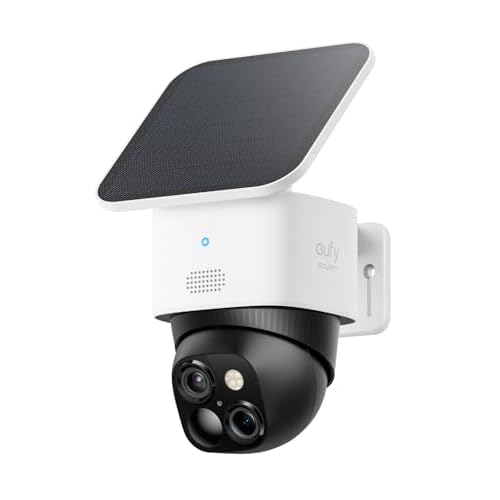
The eufy SoloCam S340 and eufyCam S3 Pro both promise solar-assisted outdoor security, but they solve different coverage problems. The S340 is the lower-cost, dual-lens option for a single important viewpoint. The S3 Pro is the more serious system purchase for shoppers who need two cameras and place a higher value on 4K detail across a larger property.
The short version
One priority zone
The S340 is the practical shortlist choice for a driveway, side gate, patio, or entrance where one camera position can do the job. Its dual-lens format is useful when the lower part of the scene matters as much as the visitor’s face.
Two separate sightlines
The S3 Pro makes more sense when one camera cannot cover the approach and the property edge, or when you want a two-camera kit instead of adding a second viewpoint later.
Solar is not a placement guarantee
Shade from a roof, wall, tree, or winter sun angle can change the maintenance routine. Inspect the actual mounting position rather than assuming every outdoor location will recharge equally.
Resolution changes the data plan
Higher detail is useful only if your storage, network, and review habits can support it. Check the current bundle and storage requirements before paying for 4K.
S340 vs S3 Pro: what you are paying for
| Decision point | eufy SoloCam S340 | eufyCam S3 Pro 2-Cam Kit |
|---|---|---|
| Current checked offer | $159.99, 4.2/5 | $429.99, 4.0/5 |
| Published camera format | 3K dual-lens solar security camera. | 4K solar outdoor system with two cameras. |
| Coverage strategy | One camera position with two perspectives. | Two camera positions for wider property planning. |
| Best fit | A single high-priority zone and a lower entry price. | A larger property or two distinct approaches that need separate views. |
| Main trade-off | Less useful if one mount cannot see all of the property you care about. | Higher cost, more installation points, and more footage to manage. |
| Check first | Mounting height, solar exposure, Wi-Fi, storage, and the lower lens view. | Camera spacing, solar exposure at both mounts, network reach, storage, and privacy zones. |
When the SoloCam S340 is the smarter buy
The S340 is the better value when your security question is narrow. If you mainly need to see a front path, a side gate, or the area where packages are left, one well-positioned camera can be easier to install and easier to review than a multi-camera system. The lower checked price also leaves room in the budget for a better mounting location or local storage, which can matter more than a higher headline resolution.
Its dual-lens design should be judged by the actual scene. Draw the camera position on the wall and check whether the lower view includes the parcel area, gate latch, or steps you care about. If the second perspective is blocked by a railing or points at empty ground, the feature is not doing useful work.
When the eufyCam S3 Pro earns the premium
The S3 Pro’s premium is easier to justify when the property has two separate approaches or when detail at distance is part of the reason you are buying. A two-camera kit lets you cover, for example, the driveway and side path without asking one lens to make an impossible compromise. The 4K label may also appeal when identification at a longer distance matters, but usable detail still depends on light, angle, motion, and network performance.
That extra coverage brings extra decisions. You need two useful mounting positions, two solar exposure checks, a network path that reaches both locations, and a plan for privacy zones. A camera system that creates more footage than you will review is not automatically a better security system.
What to check before ordering
- Mark the coverage zones. Decide whether one dual-lens position really covers the problem or whether two separate views are necessary.
- Check sunlight at the exact mounts. Seasonal shade, roof overhangs, and wall direction affect solar-assisted ownership.
- Plan the network path. Outdoor distance, masonry, and camera height can matter more than the advertised resolution.
- Price storage and upkeep. Confirm the current storage method, replacement parts, app requirements, and any subscription language in the live listing.
- Set privacy boundaries. Aim cameras at your property and check local rules before recording shared paths or neighboring areas.
Read the individual reviews
Read the SoloCam S340 review for the dual-lens, single-position buying case.
Read the eufyCam S3 Pro review for the two-camera, 4K solar planning case.
Final verdict
The SoloCam S340 is the sensible choice for one important zone, a simpler installation, and a lower price. The eufyCam S3 Pro is the stronger system choice when two camera positions solve a real coverage gap and the household will use the extra detail. Start with a coverage sketch and sunlight check. Only then decide whether the S3 Pro’s premium buys useful security rather than more footage.
Check the SoloCam S340 on Amazon → Check the eufyCam S3 Pro on Amazon →
FAQ
Is the SoloCam S340 or eufyCam S3 Pro better for a large property?
The S3 Pro is the stronger starting point when two separate camera positions are required. The S340 is better value when one dual-lens camera can cover the single priority zone.
Does solar power remove all camera maintenance?
No. Shade, seasonal sun angles, network reliability, storage, lens cleaning, and replacement parts still affect ownership. Check the exact mounting position rather than assuming solar solves everything.
Is 4K always better for outdoor security?
Higher resolution can help with detail, but coverage, light, distance, camera angle, storage, and network performance determine whether that detail is useful in practice.
Continue the topic
Best security cameras without a monthly fee guide →
PICKWISE PATH
Start with a buying guide
Update note: Offer price, rating, availability, and product naming were checked from the current US listings on September 21, 2026. They can change after publication.