A security camera advertised without a monthly fee can still create ongoing costs or limits through storage, power, network equipment, and replacement parts. The right shortlist depends on the coverage you need: one outdoor zone, several property angles, or the front door and delivery area. This guide compares three eufy options by that decision rather than treating “no subscription” as the whole product.
Shortlist by the problem you need to solve
eufy Video Doorbell E340
The E340 is the focused choice for the front door, visitor view, and delivery area. Its dual-camera format is useful when the lower doorstep view matters, but the mounting position must support it.
Checked offer: $149.99 / 4.0/5
Read the E340 review
View on Amazon →
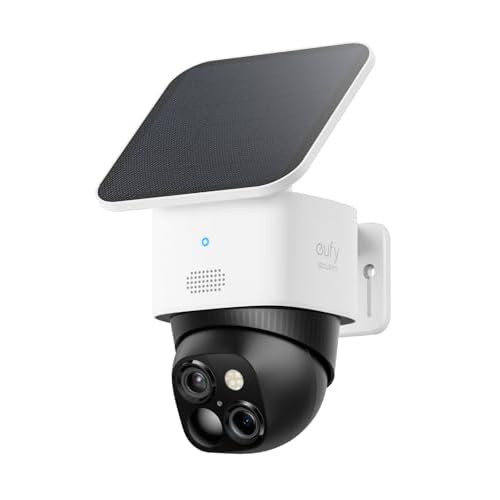
eufy SoloCam S340
The S340 is the more flexible shortlist for a driveway, side gate, patio, or other single priority zone where two perspectives from one mount are more useful than a full multi-camera kit.
Checked offer: $159.99 / 4.2/5
Read the S340 review
View on Amazon →
eufyCam S3 Pro 2-Cam Kit
The S3 Pro is the system choice when the property has two separate approaches or when 4K outdoor detail is worth planning around. It costs more and creates more installation and storage decisions.
Checked offer: $429.99 / 4.0/5
Read the S3 Pro review
View on Amazon →
What “without a monthly fee” should mean
Start by separating three questions: can the camera record without a subscription, where is the footage stored, and which features are limited without a paid plan? A product can avoid a recurring cloud bill while still needing local storage, a compatible hub, a larger memory card, or more network capacity. Read the exact current Amazon bundle and manufacturer documentation for those details.
Also price the non-monthly costs. Solar mounts, storage hardware, replacement batteries or parts, additional cameras, and a stronger Wi-Fi setup all affect the real ownership budget. “No monthly fee” is a useful filter, not a complete value calculation.
How the three options differ
| Product | Best use | Checked offer / rating | What to verify |
|---|---|---|---|
| Video Doorbell E340 | Front door, visitor and package area. | $149.99 / 4.0/5 | Power, mounting angle, chime, storage, and delivery-zone view. |
| SoloCam S340 | One outdoor zone with two perspectives. | $159.99 / 4.2/5 | Solar exposure, lower lens coverage, Wi-Fi, storage, and privacy zones. |
| eufyCam S3 Pro 2-Cam | Two approaches or a larger property. | $429.99 / 4.0/5 | Camera spacing, solar exposure at both mounts, network reach, storage, and footage review. |
Choose by coverage before resolution
A sharper image is useful only when the camera is aimed at the right place. Draw each proposed mounting position on a quick floor plan. Mark the gate, driveway, doorstep, parcel drop area, and the path a person would take. If one camera cannot see the important zones without a severe angle, a two-camera kit may be more useful than a higher resolution at one position.
For the doorbell, check the lower doorstep view and the approach to the door. For a solar outdoor camera, check sun direction, shade, and seasonal changes. A camera that is technically wire-free but constantly needs repositioning or charging is not a low-maintenance purchase.
What to check before ordering
- Write down the coverage zones. Decide whether you need a doorbell, one outdoor zone, or two separate approaches.
- Inspect power and sunlight. Confirm wired compatibility for a doorbell and solar exposure for each outdoor camera mount.
- Confirm storage terms. Read the current listing for local storage, hub requirements, cloud limits, and the features available without a subscription.
- Check your network. Outdoor distance, masonry, and the number of cameras can affect reliability more than the resolution label.
- Plan privacy zones. Aim at your property, avoid unnecessary views into neighbors’ spaces, and check local rules before recording shared areas.
- Price expansion. Include extra cameras, mounts, storage, replacement parts, and any service you may actually need.
Related reviews
eufy Video Doorbell E340 review · eufy SoloCam S340 review · eufyCam S3 Pro review
Final recommendation
The E340 is the most focused choice for an entrance, the S340 is the sensible single-zone option, and the S3 Pro is the premium system choice for two-camera coverage. Do not choose based on “no monthly fee” alone. Choose the camera that covers the right area, works with your power and network conditions, and has a storage plan you will actually use.
FAQ
Can a security camera really work without a monthly fee?
It may, but you still need to confirm where footage is stored, which features work without a paid plan, and whether the bundle requires local storage, a hub, or additional hardware.
Which camera is best for a front door?
The Video Doorbell E340 is the focused choice for an entrance and delivery area. The SoloCam S340 and eufyCam S3 Pro are better considered for broader outdoor zones.
Is a two-camera kit always better than one dual-lens camera?
No. Choose two cameras when you have two separate approaches to cover. Choose one dual-lens camera when a single well-positioned mount solves the problem.
Compare the shortlist
SoloCam S340 vs eufyCam S3 Pro comparison →
PICKWISE PATH
Choose a comparison next
Update note: Offer price, rating, availability, and product naming were checked from the current US listings on September 21, 2026. They can change after publication.